



Betnella Login
Your first step after registering at Betnella is completing the Betnella login. It’s how you get from browsing the lobby to actually playing – and it takes seconds once your account exists. This page covers how to register, how to log in (including the fastest route if you signed up with Google or Facebook), and how account verification works.



Betnella Casino Registration
Registering unlocks the full platform. Visitors can browse the lobby and try demo versions of most games, but an account is what turns that preview into a real-money experience – deposits, withdrawals, promotions and everything else the platform offers only opens up once you’ve signed up. Betnella supports two ways to create an account: the standard email sign-up, or a one-click sign-up through Google or Facebook if you’d rather skip filling in a password entirely.
Once your profile exists, here’s what it gives you:
- Real-money play across the full game catalog.
- Access to promotions and bonuses reserved for registered players.
- Deposits and withdrawals through your personal wallet.
- A history tab tracking your sessions, transactions and claimed bonuses.
- Access to responsible gambling tools (deposit limits, session timers, self-exclusion).
Registering costs nothing and takes about a minute either way.
How to Register
The steps differ slightly depending on which method you pick:
| Step | Email registration | Google/Facebook registration |
|---|---|---|
| 1 | Click “Sign up” in the upper-right corner. | Click “Sign up,” then choose Google or Facebook. |
| 2 | Enter your email address and create a password. | Log in to your Google/Facebook account when prompted. |
| 3 | Confirm you’re 18+ and accept the Terms and Conditions. | Confirm you’re 18+ and accept the Terms and Conditions. |
| 4 | Choose whether to receive the promotional newsletter. | Choose whether to receive the promotional newsletter. |
| 5 | Confirm again, then add your name, date of birth and phone number. | Add your name, date of birth and phone number – no password to create. |
With email registration, a confirmation email follows shortly after – click the link inside to verify your address. With Google/Facebook registration, your email is already verified through the provider, so this step is skipped.
Betnella Login Process
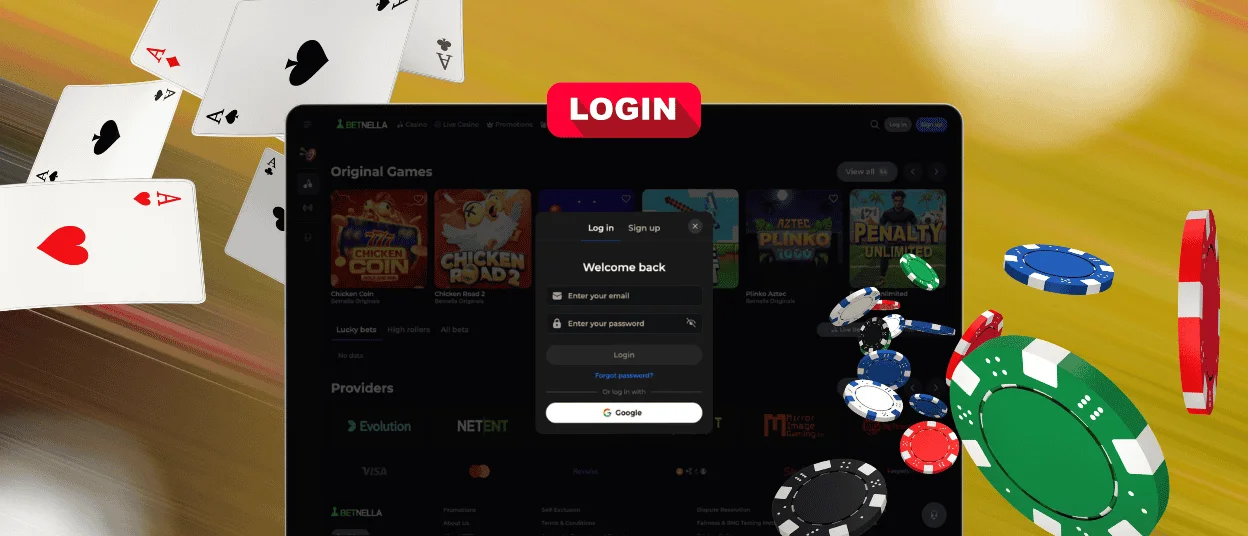
The Betnella login form takes two forms, depending on how you registered:
- Click “Log in” next to “Sign up.”
- Enter your registered email and password – or click the Google/Facebook button instead if that’s how you signed up, which skips the password step entirely.
- If you’ve enabled two-factor authentication, enter the code from your authenticator app.
- Submit to reach your dashboard.
If you signed up through Google or Facebook, that’s the fastest way going forward – no password to type or forget.
Mobile and Desktop Login
The Betnella login process is identical across devices – the same email/password or Google/Facebook login works whether you’re on a computer or a phone, and your balance and settings stay in sync either way. The practical differences are minor: desktop shows a full-width login form and often keeps a browser-saved password ready to autofill, while mobile uses a compact single-column form and, on supported phones, biometric autofill for an even faster sign-in. Mobile sessions also tend to time out a little faster, since a phone is more likely to be shared or left unattended.
Forgot your Password?
Forgetting a password is the single most common reason players get stuck at the login screen – and it’s an easy fix, not a lockout. If email/password is how you signed up, here’s how to get back in:
- Click “Forgot password?” on the login screen.
- Enter your registered email address.
- Open the reset link sent to your inbox (check spam if it doesn’t arrive within a few minutes).
- Set a new password and log in as usual.
If you registered via Google or Facebook, there’s no separate Betnella password to reset – use the social login button instead, and the whole problem disappears.
Account Verification
Before a first withdrawal, Betnella runs a one-time identity check (KYC). This protects both the platform and the player from fraud, and it’s a standard step regardless of which method you used to register.
The check usually covers three things – who you are, where you live, and that the payment method is yours:
- A passport, national ID or driver’s license, to confirm identity.
- A utility bill or bank statement from the last three months, to confirm address.
- A photo of the card used, or an e-wallet screenshot, to confirm payment ownership.
Managing Your Account
Once you’re logged in, the profile icon opens an area covering everything from payments to security. The Wallet section handles deposits, withdrawals, limits and your display currency. General settings cover personal details and notification preferences. Security settings is where you change your password, enable 2FA and review active sessions. Gambling limits let you set deposit caps and session timers, or request self-exclusion. And History keeps a record of past transactions, claimed bonuses and games played.
Locked or Suspended Accounts
Login usually goes smoothly, and Betnella’s security only steps in when something looks out of the ordinary. A few common scenarios: logging in from a new device typically triggers an extra email confirmation, so just enter the code sent to your inbox and continue as normal. Several failed password attempts in a row put a short temporary block on further tries – waiting a few minutes clears it, or you can reset your password immediately instead of waiting. And a session left inactive for too long simply closes on its own; logging back in picks up where you left off.
FAQ
Can I log in to Betnella with Google or Facebook?
Yes, if that’s how the account was created. It replaces the email and password step entirely.
What if the password reset email doesn’t arrive?
Check spam/junk first, then request the reset again – reset links expire after a set window, so an earlier one may have simply timed out.
Why do I get logged out after closing the browser?
Closing the browser can end your session as a security measure – Betnella monitors inactivity to prevent unauthorized access on shared or public devices.


